 dsale@topsfp.com
 español
 English
 русский
 العربية
 中文
中文



Choosing between NVIDIA ConnectX-7 and ConnectX-6 Dx for an AI server is a design decision, not a generational upgrade exercise. Both adapter families can support modern Ethernet and RDMA-oriented workloads, but the correct choice depends on the fabric you are building, the exact adapter SKU, the server’s PCIe topology, the switch ports already deployed, the cable or optic ecosystem, and the software stack. This guide provides a procurement framework for selecting the right NIC for a new AI server, expansion node, or network refresh.
Start with the traffic pattern
Document what the adapter will carry before comparing port speeds. AI training nodes may exchange gradients, checkpoints, and storage traffic at high rates. Inference nodes can need predictable east-west latency, while storage or management networks may have different priorities. Record the number of GPUs, expected GPU-to-GPU traffic, storage path, target oversubscription, required redundancy, and whether the environment is Ethernet/RoCE or InfiniBand. A 200Gb/s adapter can be the appropriate choice for a balanced deployment if the host and switch are designed for it; a 400Gb/s-capable adapter has value only when the entire path can use the additional bandwidth.
Compare the exact SKU, not only the family name
ConnectX-branded cards are offered in different port counts, form factors, host interfaces, cooling options, and protocol capabilities. The maximum throughput shown for a family is not automatically available on every card. ConnectX-6 Dx models are widely used for Ethernet and RoCE deployments up to their approved capability, while ConnectX-7 models can support higher-speed configurations and are available in configurations suited to both Ethernet/RoCE and, for relevant VPI models, InfiniBand environments. Confirm the manufacturer part number, port type, maximum line rate, PCIe generation and lane width, protocol mode, bracket, OCP or PCIe form factor, and cooling requirements before requesting a quote.
Check host PCIe capacity first
A NIC cannot deliver its intended throughput if it is installed in a slot with insufficient PCIe bandwidth, an unsuitable bifurcation arrangement, or a topology that adds avoidable contention. Obtain the server platform guide and identify the PCIe generation, lane allocation, NUMA relationship to the CPU and GPUs, slot power limit, and airflow direction. For GPU servers, map each NIC to the local CPU and GPU complex where possible, then validate the design with the server vendor’s topology tools or documentation. A network adapter purchase should include the host slot plan, not simply a quantity of cards.
Fabric protocol and switch compatibility
Decide whether the project is Ethernet/RoCE or InfiniBand before selecting cables and firmware. A ConnectX-6 Dx deployment may fit an Ethernet fabric that already uses compatible 25G, 100G, or 200G switching. A ConnectX-7 deployment can provide a path toward higher-rate Ethernet or InfiniBand designs, but it must match the switch generation and the approved protocol configuration. Do not assume that a port will negotiate the desired mode because two connectors physically fit. Use the vendor’s compatibility matrix to confirm the adapter, switch, cable or transceiver, operating mode, and supported speed.
Optics and cables are part of the adapter decision
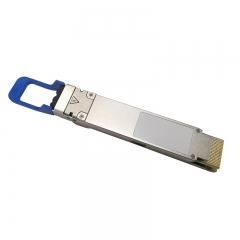
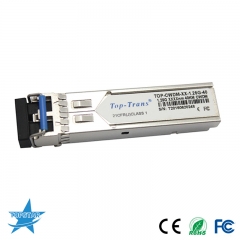
Port type and lane mapping determine whether the design uses DAC, ACC, AOC, or pluggable optical transceivers. Each option has different reach, power, bend-radius, serviceability, and cost characteristics. For short in-rack connections, a qualified passive or active copper assembly may be practical. For row-to-row or longer paths, optical assemblies or pluggable transceivers may be required. Record connector type, fibre type, polarity, reach, breakout needs, and the approved end-to-end part numbers. High-speed links should also be checked for switch-port power limits and airflow constraints, especially when using higher-power optical modules.
Software, firmware, and operations matter
Before deployment, align the operating system, driver, firmware, orchestration layer, and monitoring tools. NVIDIA documentation publishes supported firmware and software combinations for adapter generations; use the current vendor release notes rather than copying a version from an old project. Plan the firmware baseline, change-control process, rollback path, and the commands or dashboards that will verify link state, error counters, RDMA configuration, and temperature. A new adapter generation can add capability, but it also adds a qualification task that should be completed before a production cluster is expanded.
Cost should be compared as a complete path
Compare the cost of the card, cable or optic, switch-port consumption, host PCIe slot, power and cooling, software qualification, spare units, and future expansion. A 400Gb/s design may reduce port count in one topology while increasing optic power and requiring a newer switch platform. A 200Gb/s design may reuse an installed fabric and simplify spares. Neither result is universally better. The right decision is the one that satisfies the required application throughput and resiliency with a supportable bill of materials.
Validation checklist
- Confirm the exact server model, PCIe slot, NUMA placement, and power or airflow requirements.
- Match the adapter SKU to the desired Ethernet/RoCE or InfiniBand fabric.
- Validate switch, cable or optic, firmware, and speed mode in the vendor compatibility matrix.
- Test one representative node for link training, throughput, error counters, failover, and application behaviour.
- Standardise the approved firmware, cable part numbers, and monitoring procedure before volume rollout.
Selection rule
Choose ConnectX-6 Dx when its validated performance, port speed, and Ethernet/RoCE features meet the project while fitting the existing infrastructure. Choose ConnectX-7 when the platform, fabric, and workload benefit from its higher-speed or protocol capabilities and the full path has been qualified. Topstar can quote compatible networking parts, but final compatibility and firmware support should be confirmed against the current server, switch, and NVIDIA documentation for the exact SKU.
